
Module 25
Analytic Integration
Analytic Integration menu is used to connect White Label Web (WLW) with the brand’s analytics platform. With this integration, brands can monitor website performance and visitor activity in greater detail.
How to Connect Google Analytics with WLW
By connecting WLW to Google Analytics, users can view various statistics such as website visitors, visitor locations, visit duration, and other analytics data.
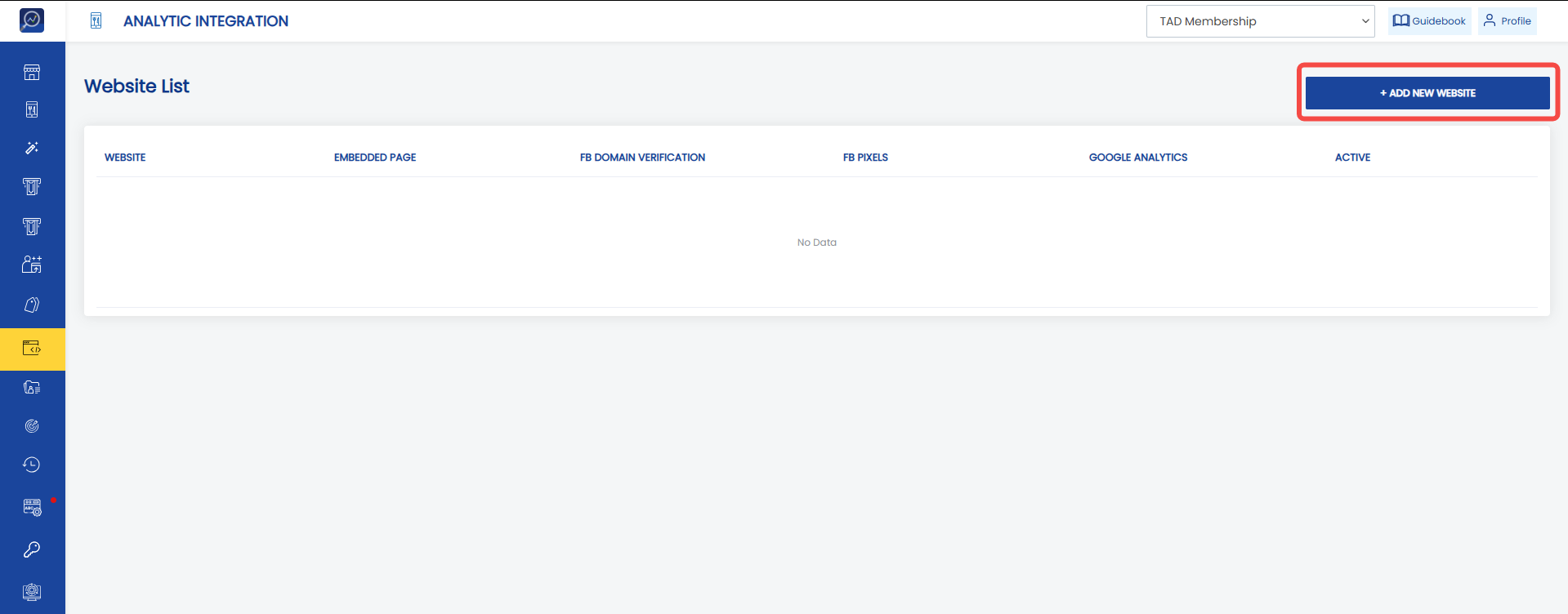
1. Open the “Analytic Integrations” menu.
2. Click “Add new website”.
 3. Specify the link to be integrated in the “Embedded Page” parameter.
4. Enter the Google Analytics ID in the “Google Analytic ID” field.
5. Set the “Set as active” parameter to active if this configuration will be used.
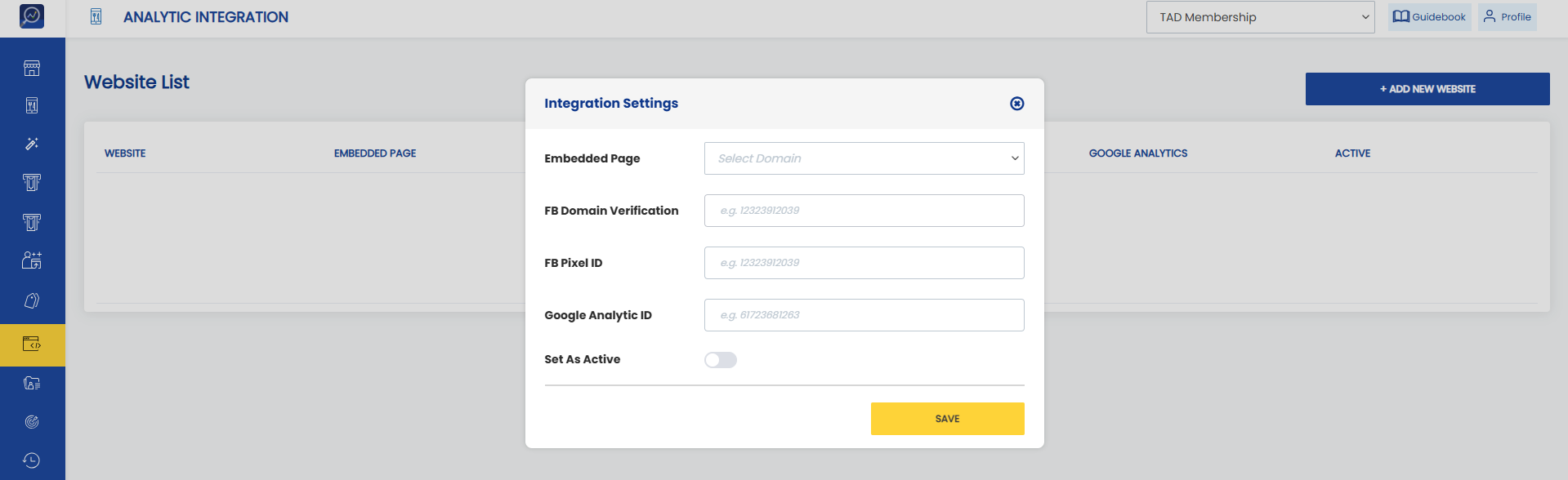 6. Click “Save”