Module 30
Billing
Menu Billing displays information related to the billing history issued by TADA to merchants every month. Merchants can view invoice details and download billing reports through the dashboard.
How to Download an Invoice
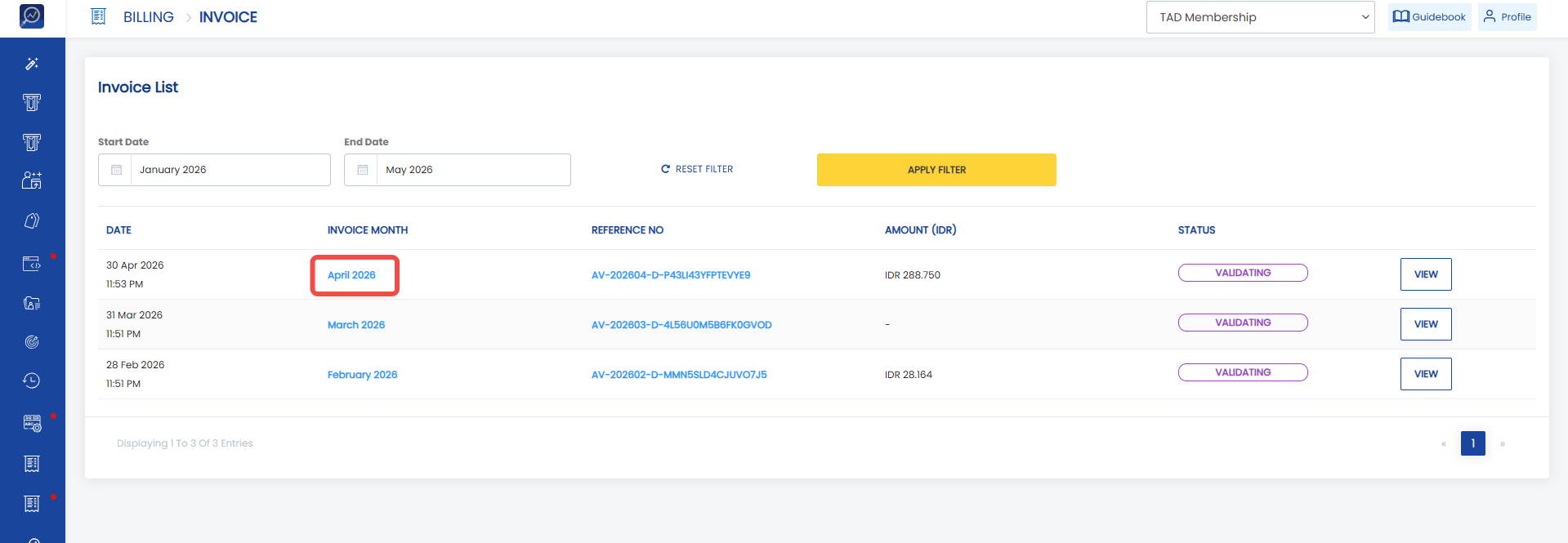
1. Open the “Billing” menu and select the “Invoice” sub-menu.
2. Open an invoice by clicking the “Invoice month” column.
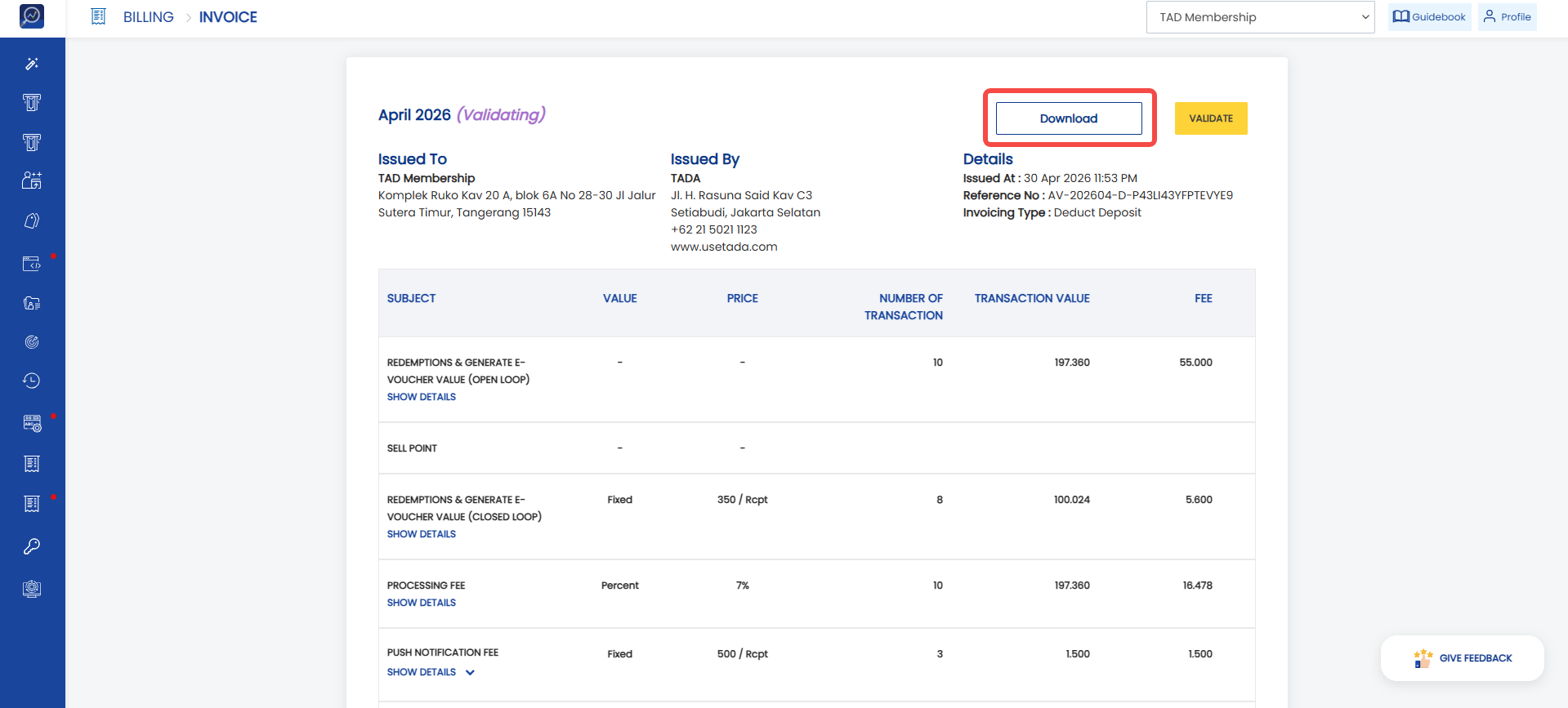
 3. Click “Download”
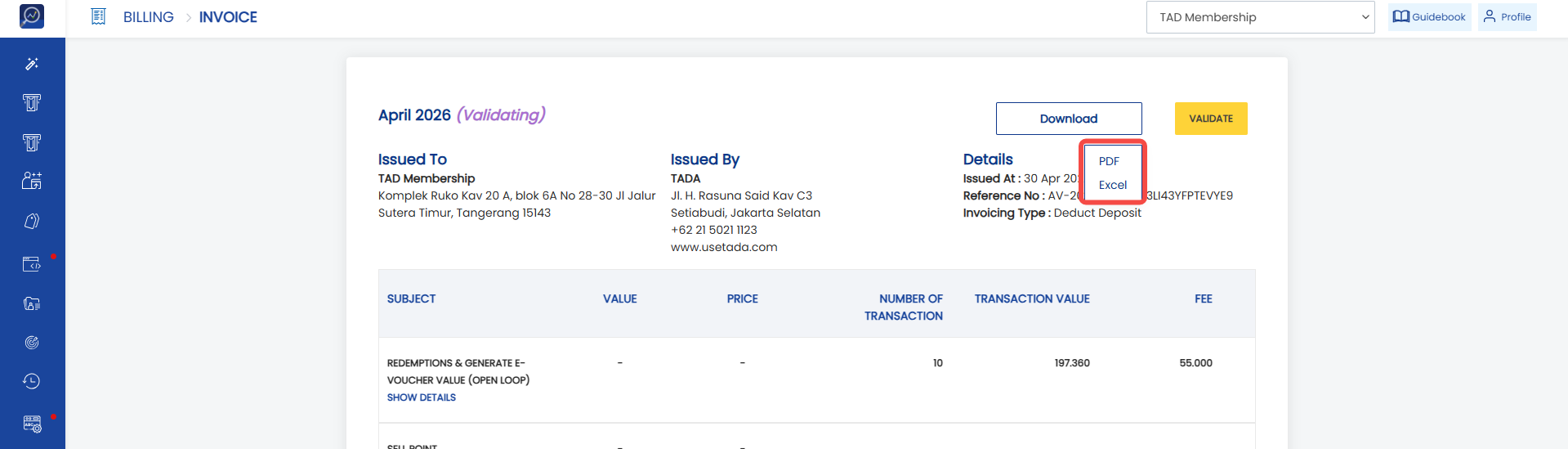
 4. Select the file format to download.
- Click “PDF” if you want the download result in PDF format.
- Click “Excel” if you want the download result in Excel format.