
Unique Code Info
The Unique Code Info menu is used to view information related to QR Scan unique codes created by the brand. Through this menu, brands can check the status of unique codes, view the rewards associated with them, and suspend or deactivate unique codes when necessary.
How to Check Your Unique Code
1. Select the "Unique Code Info" menu.
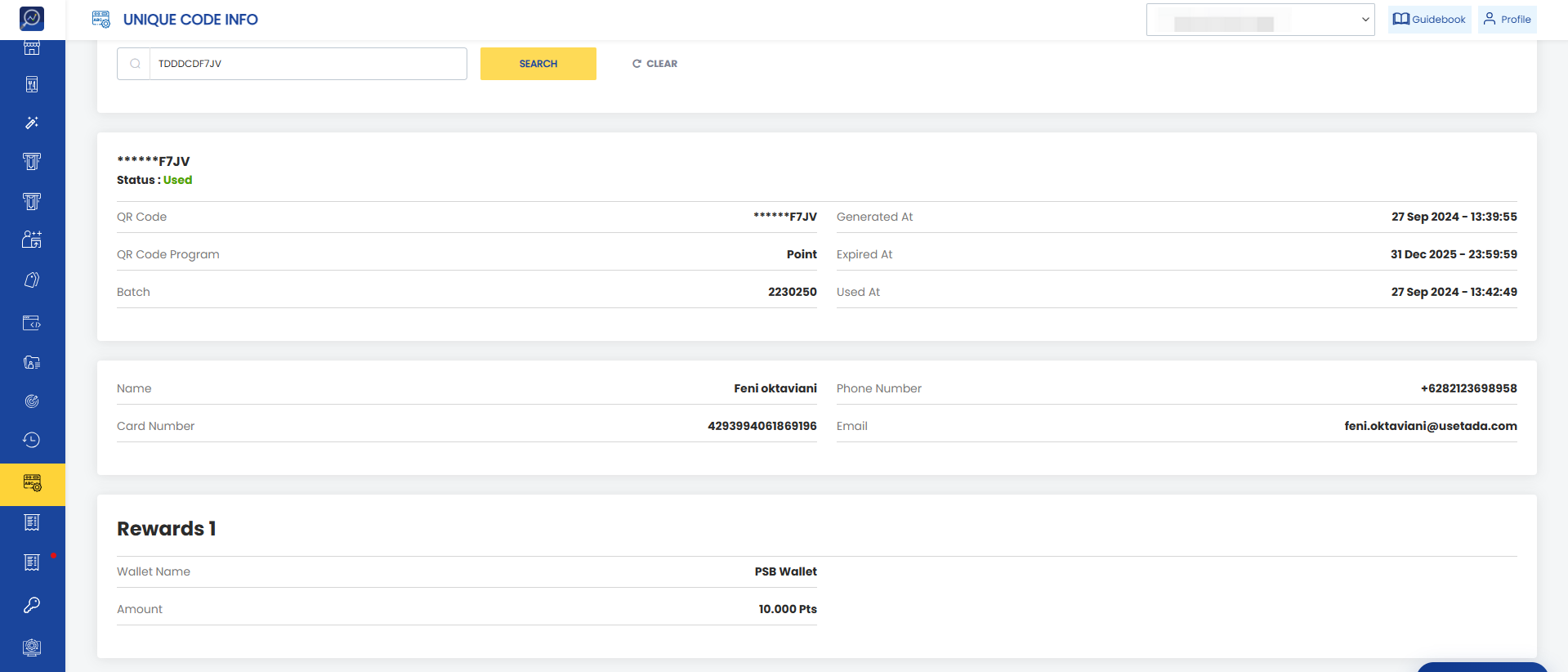
2. Enter the unique code in the search field.
 3. Click the "Search" button.
 4. If the unique code is valid, the dashboard will display information related to the code.
How to Suspend or Deactivate a Unique Code
1. Find the unique code that needs to be suspended or deactivated.
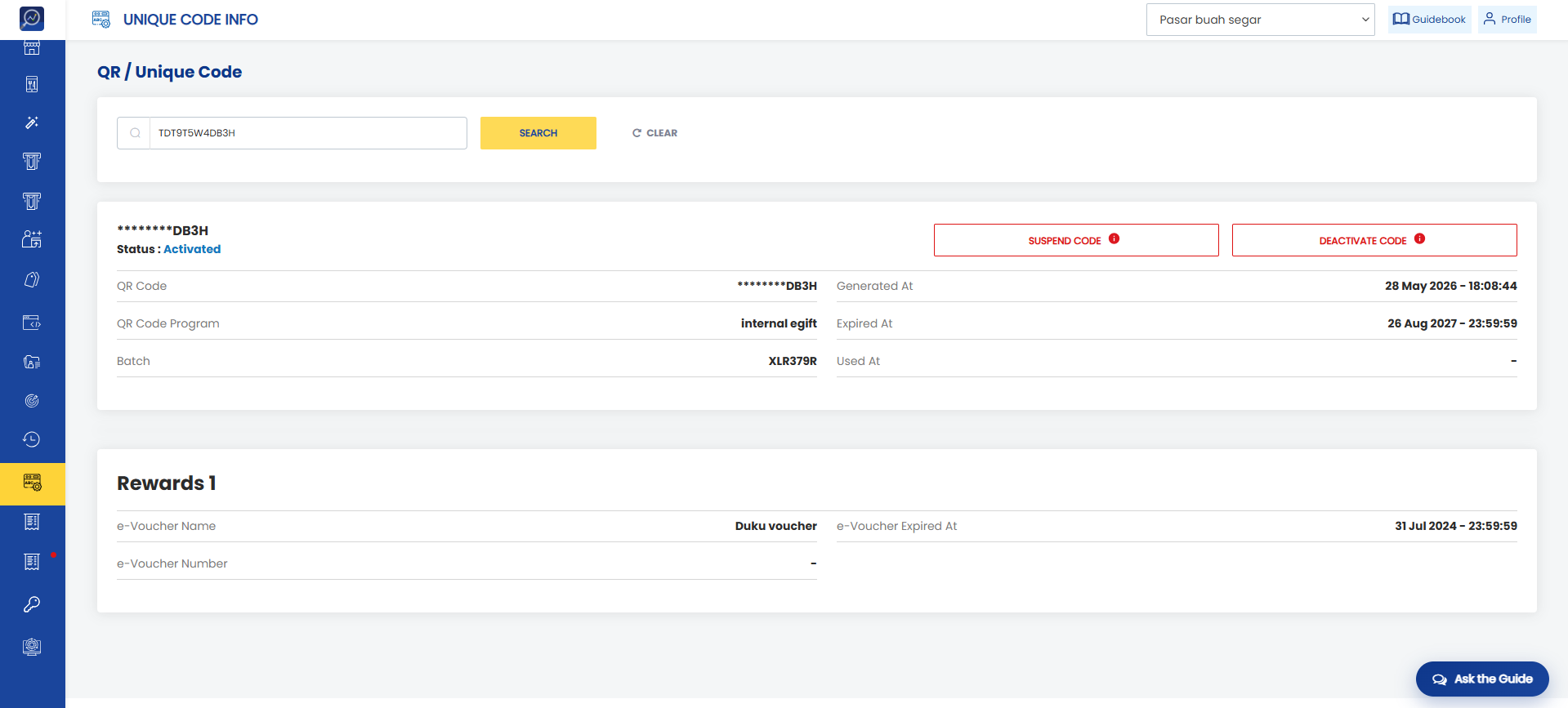 2. Click the "Suspend Code" or "Deactivate Code" button.
3. A confirmation pop-up will appear.
Note: Brands cannot reverse a suspended code. To temporarily disable a code, brands should use the "Deactivate Code" button.
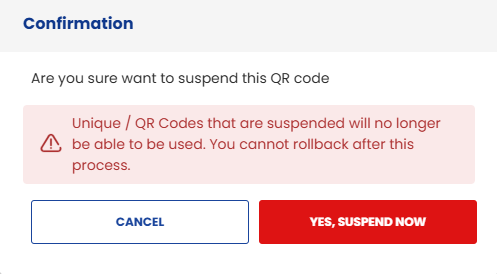
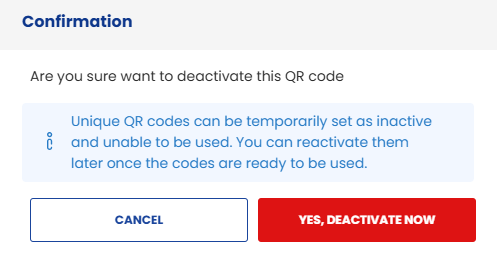 4. Click "Suspend Code" or "Deactivate Code" in the confirmation pop-up to proceed with the action.
Example of Unique Code - Deactive
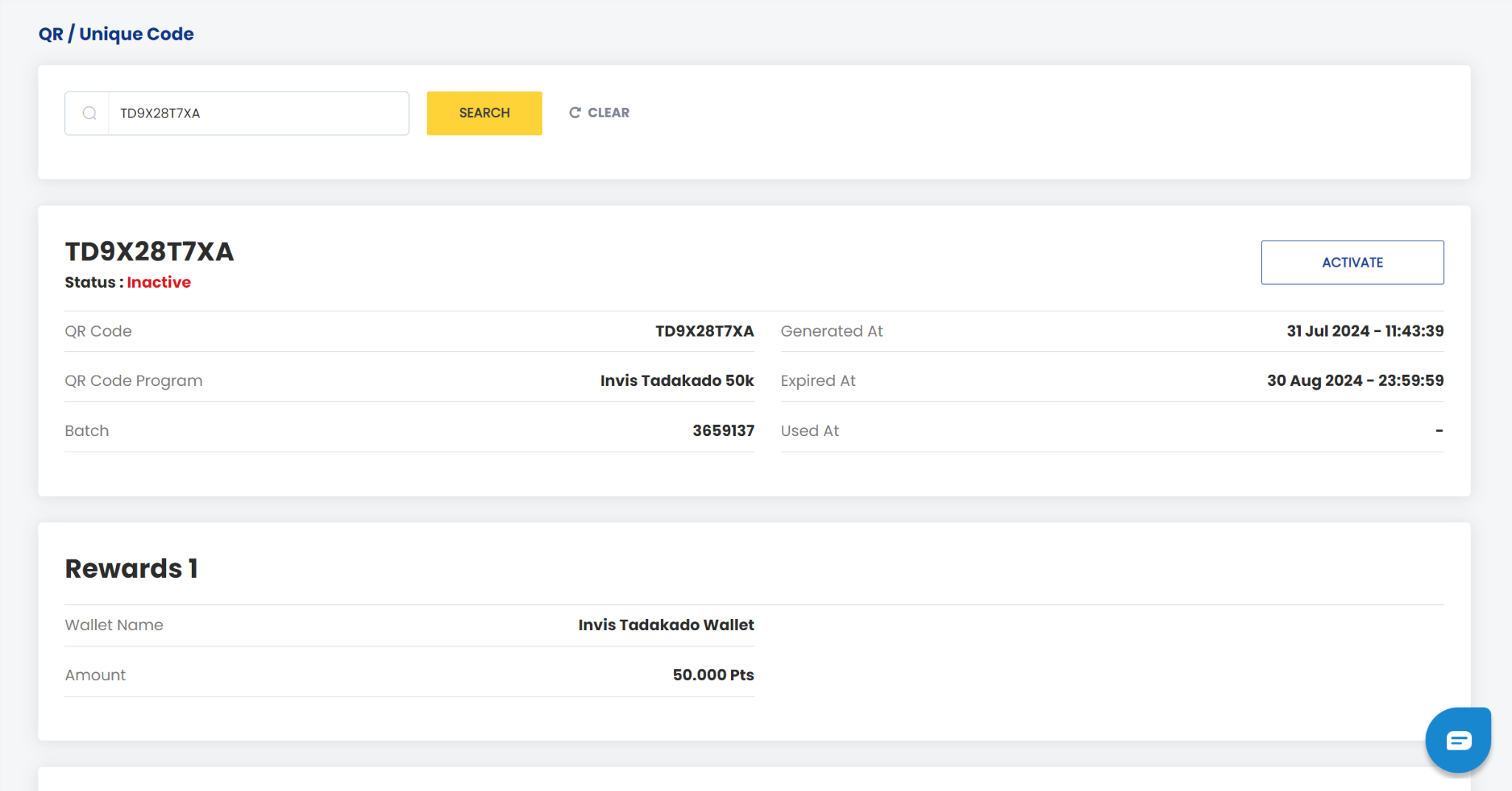
Example of Unique Code - Suspended