
Insight
The Insight menu is a feature within the Tada Dashboard used to display various business performance data and reports in real time. Through this menu, users can monitor transaction activities, member growth, store performance, and referral program effectiveness from a single dashboard page.
How to View Insights
1. Open the “Insight” menu.
2. Select the filters, including start date, end date, and program name, then click “Apply filter”. 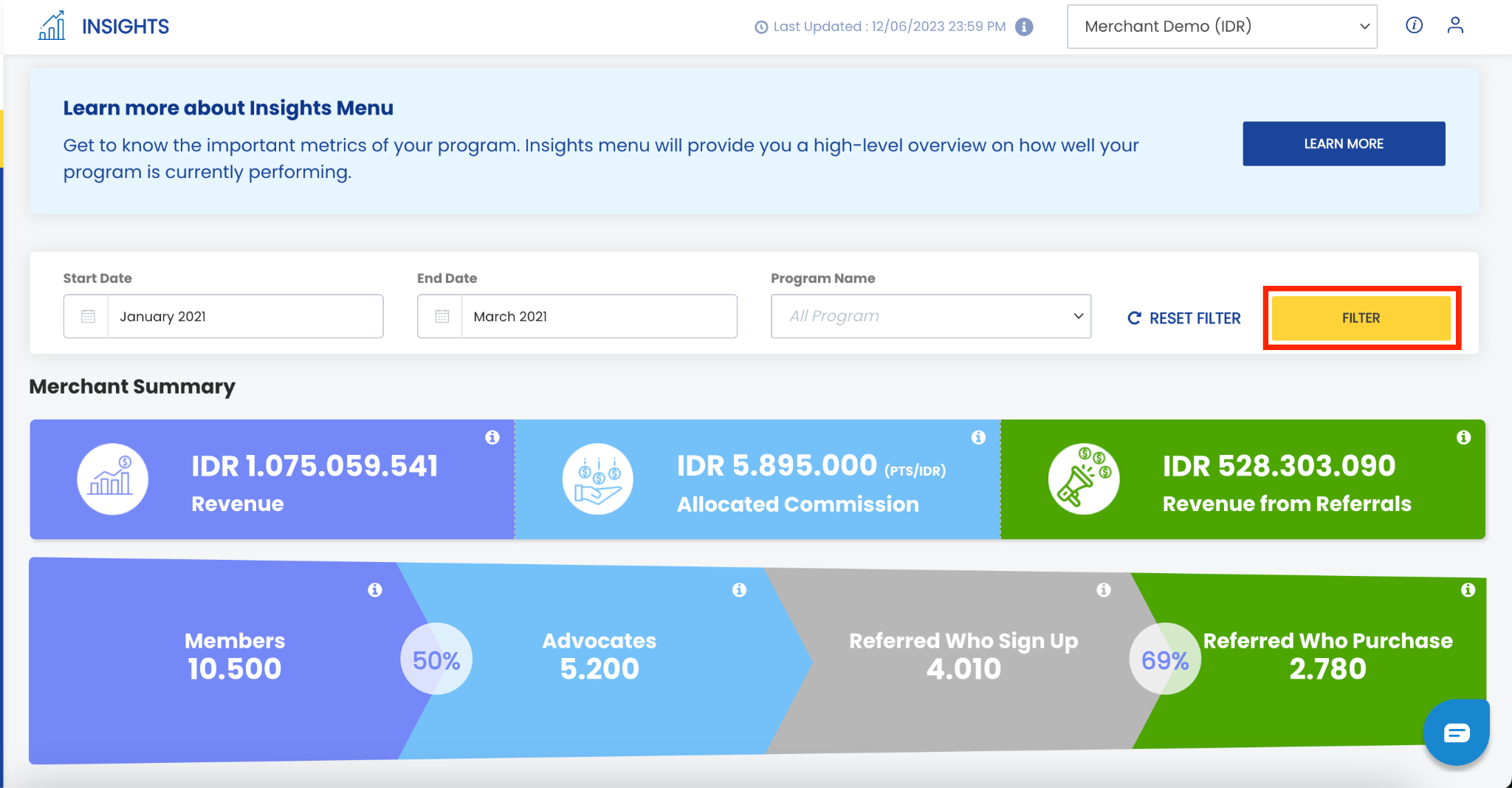
The dashboard provides 7 insight categories, including:
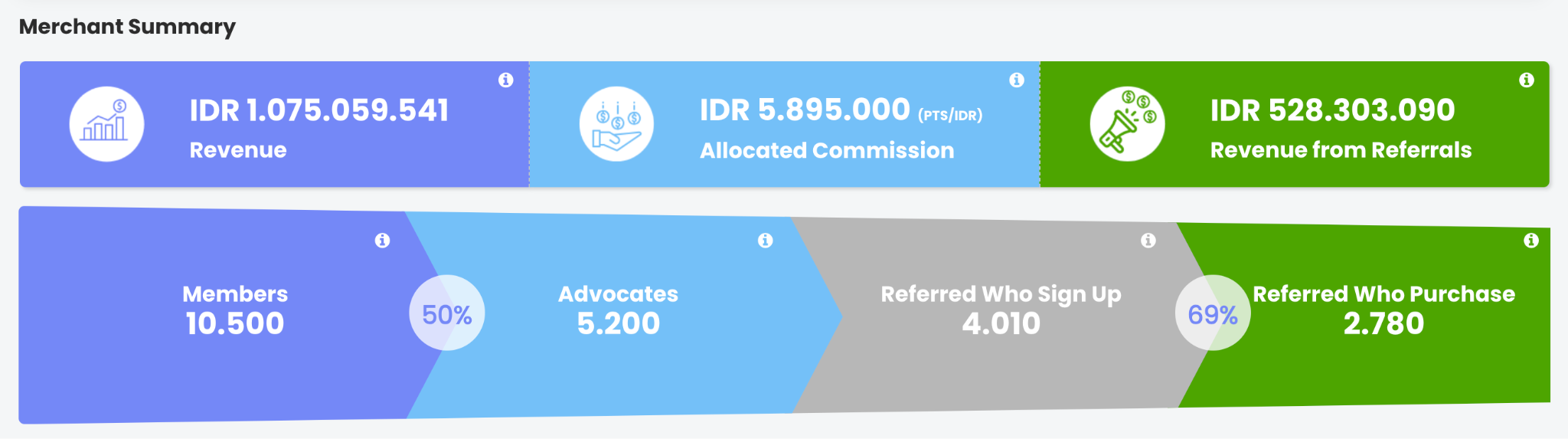
a. Merchant summary: Displays a summary of a brand’s business performance based on revenue and total members.
- Revenue: Displays revenue data calculated from top up, wallet top up, new subscription, renew subscription, and shop transactions. Transactions paid using a wallet are not included in the calculation.
- Allocated commission: Displays the total commission distributed by the brand to members through referral commission transactions.
- Revenue from referral: Displays revenue generated from members who registered through the referral program and completed transactions such as top up, wallet top up, new subscription, renew subscription, and shop. Transactions paid using a wallet are not included in the calculation.
- Members: Displays the total number of members with registered or pending status who activated their accounts within the selected filter date range.
- Advocates: Displays the total number of members who have shared their referral link or member-get-member program at least once.
- Referred who signed up: Displays the total number of members who registered through the referral program (member get member) and have a registered status.
- Referred who purchased: Displays the total number of referred members with registered status who have completed top up, wallet top up, new subscription, renew subscription, or shop transactions.
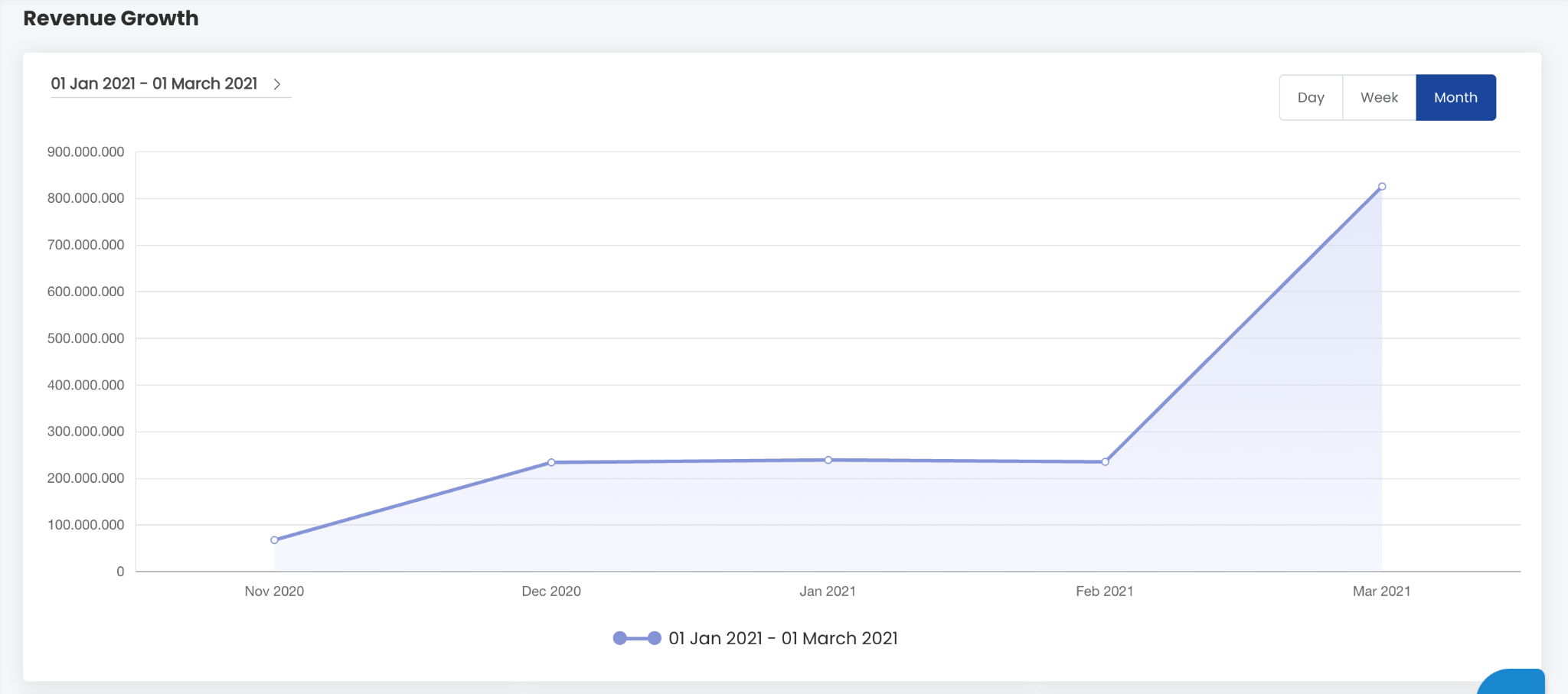
 b. Revenue growth: Displays the revenue growth percentage of a brand.
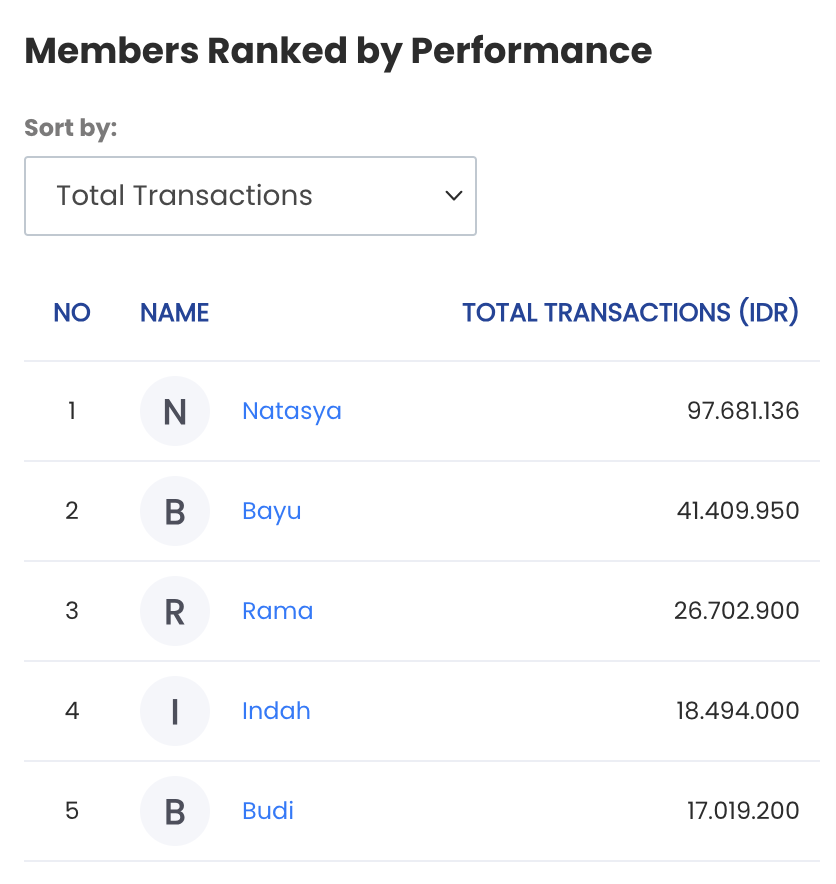
 c. Member ranked by performance: Displays the top 5 members based on:
- Total transaction: Total transaction value generated from top up, wallet top up, new subscription, renew subscription, shop, redemption, and wallet redeem transactions. Transactions paid using a wallet are not included in the calculation.
- Number of transaction: Displays the total number of transactions recorded in the system, including top up, wallet top up, new subscription, renew subscription, shop, redemption, and wallet redeem.
- Total spending: Displays the total member spending from top up, wallet top up, new subscription, renew subscription, and shop transactions. Transactions paid using a wallet are not included in the calculation.
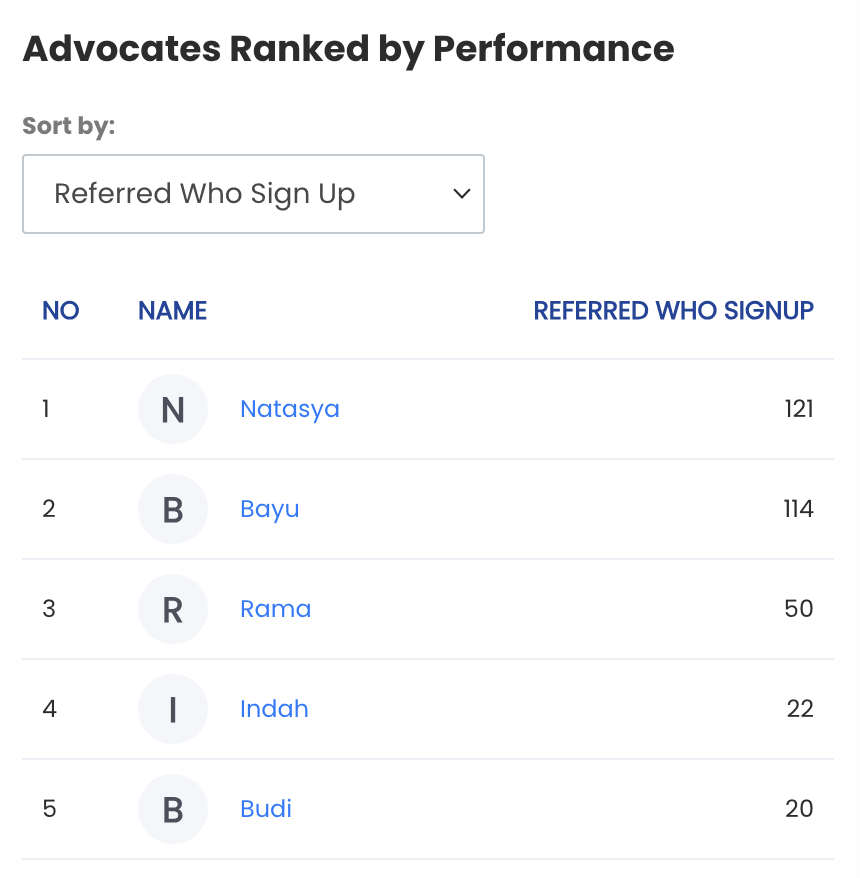
 d. Advocates ranked by performance: Displays the top 5 advocates, which are members who have shared their referral link at least once. The performance categories include:
- Referred who signed up: Total referred members who successfully registered and have registered status.
- Referred who purchase: Total referred members with registered status who have completed top up or wallet top up transactions.
- Revenue generated: Highest revenue generated from referred members.
- Allocated commission: Highest total referral commission received by the advocate.
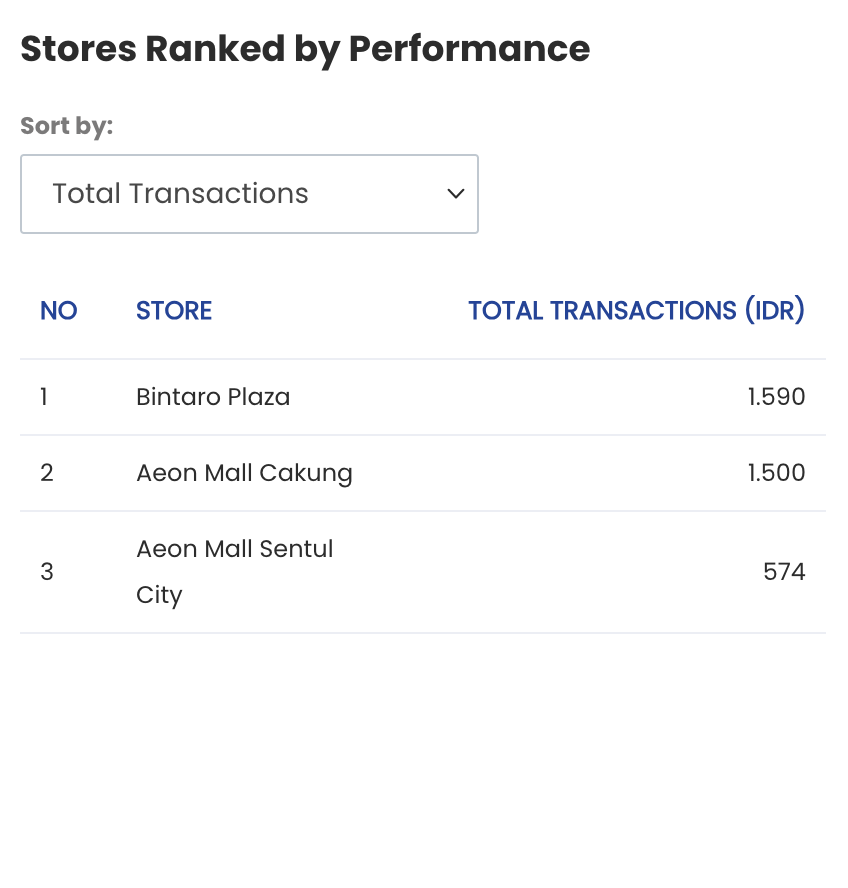
 e. Store ranked by performance: Displays the top 5 performing stores based on:
- Total transaction: Stores ranked by the highest total transactions. Transaction types included are top up, wallet top up, new subscription, renew subscription, shop, redemption, and wallet redeem.
- Number of members: Stores ranked by the highest number of member registrations.
- Average rating: Stores ranked by the highest average rating.
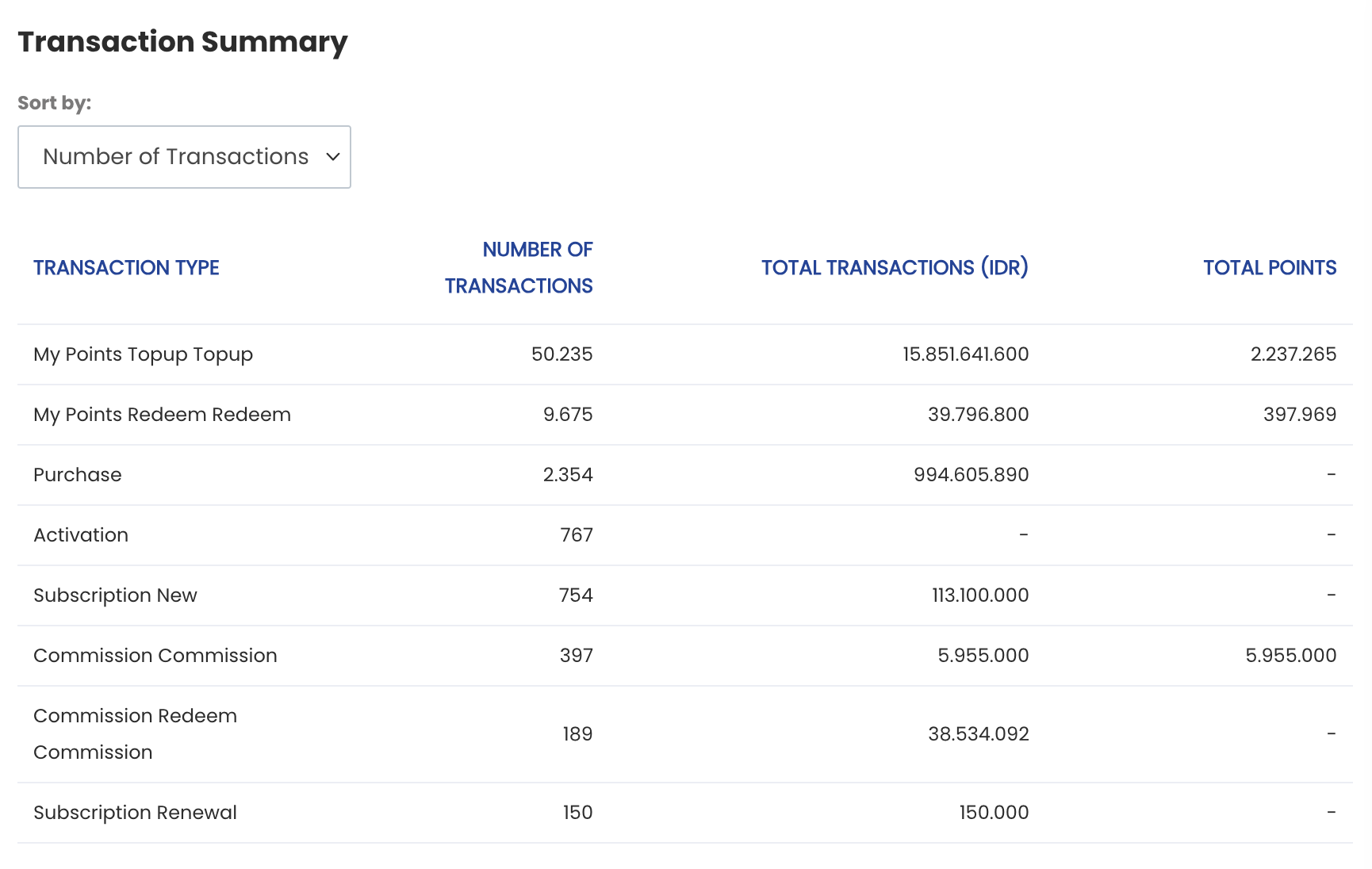
 f. Transaction summary: Displays a summary of transactions such as wallet top up, wallet redeem, purchase, activation, e-voucher redeem, and e-voucher expired.
 g. Most favorite items: Displays the items most frequently redeemed or purchased by members. Users can sort the items based on:
- Redemption: Items most frequently redeemed by members.
- Shop: Items most frequently purchased by members.