
Module 03
Loyalty Insight
Menu Loyalty Insight is used to display various data and reports required by brands. Available data includes revenue, transaction summaries, total redemptions, total top-ups, and other insights to help analyze loyalty program performance.
How to View and Download Insights
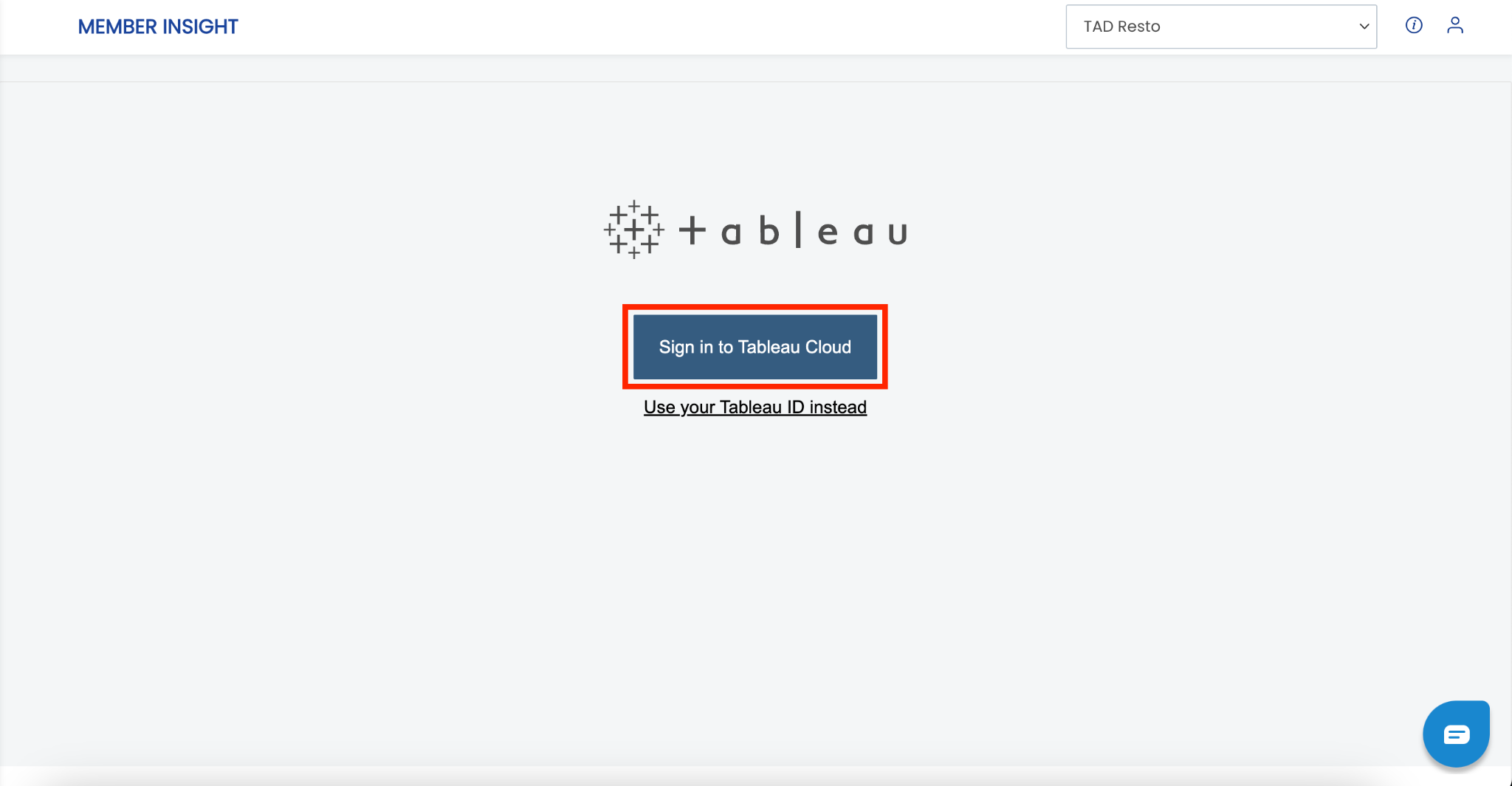
1. Open the “Loyalty Insight” menu.
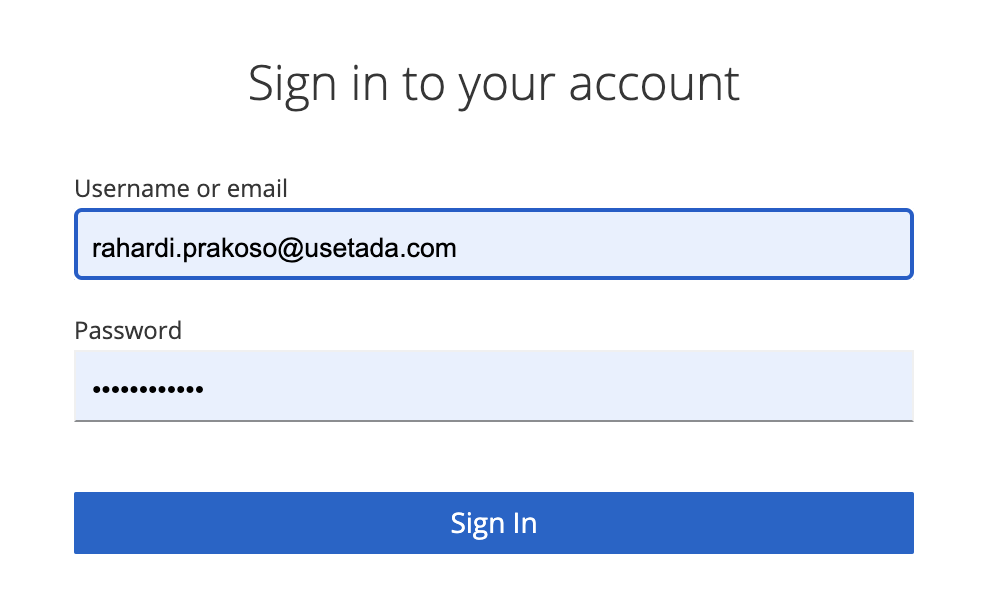
2. Click “Sign in to Tableau Cloud”, then enter your username and password.
3. Click “Sign in”.
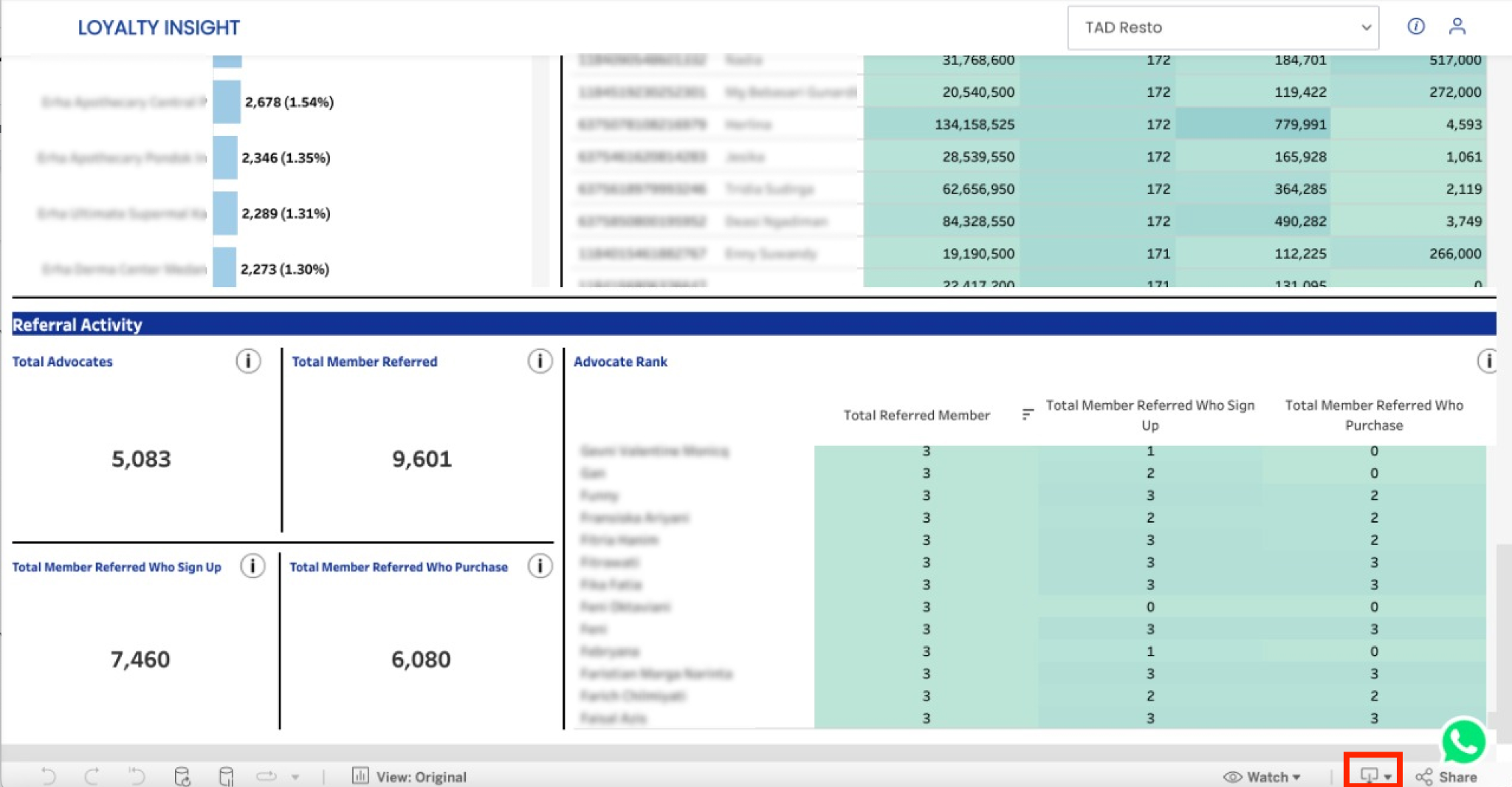
 4. Click the “Download” button.
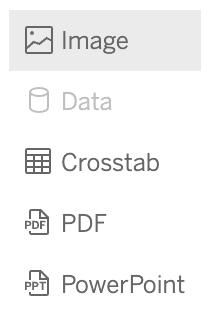
5. Select a download format.
- If you want the format to be Excel, select “Crosstab”.
- If you want the format to be PDF, select “PDF”.
 6. Select the section to generate, then click “Download”.
How to Read Loyalty Insight Data
Membership Insight
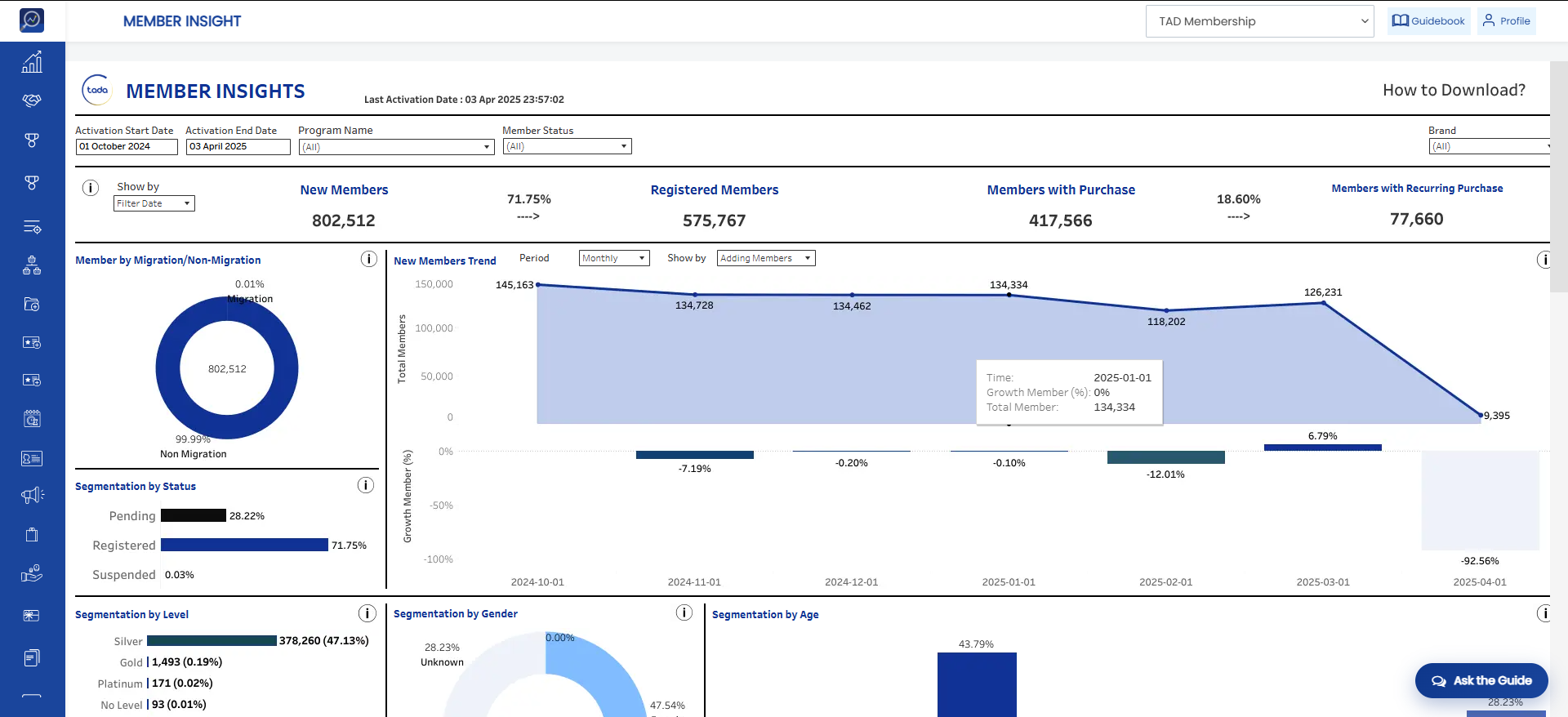
- New Members: Total number of new members with pending and registered statuses based on the selected date filter.
- Registered Members: Total number of members with registered status based on the selected date filter.
- Members with Purchase: Total number of members (pending and registered) who have made a purchase. Purchase criteria include top-up, wallet top-up, delivery order, and shop transactions.
- Members with Recurring Purchase: Total number of members who have made repeat purchases. Purchase criteria include top-up, wallet top-up, delivery order, and shop transactions.
- Example: Member A performs 3 top-up transactions and is counted as 1 member with recurring purchases. Member B performs 1 top-up transaction and is not counted as a recurring purchaser.
- New Members Trend: Number of new members during a specific period (daily, weekly, monthly, quarterly, quarterly).
- Segmentation by Status: Displays a comparison of member statuses (pending vs registered).
- Segmentation by Level: Displays members based on their level.
- Segmentation by Age: Displays the number of members based on age ranges.
- Segmentation by Gender: Displays the number of male, female, and unregistered members. Unregistered indicates members who did not register their gender.
- Store Activation: Displays the number of activations performed by members. All channels are based on outlets registered within the program.
- Member Ranking: Displays member rankings based on number of spending transactions, total spending, average spending, and total redemption amount.
Spending Insight
- Total Spending (Revenue): Total revenue generated from top-up, wallet top-up, virtual franchise, delivery order, and shop transactions. Transactions paid using wallet or balance are not included.
- Total Points Rewarded: Total points generated from transactions based on the predefined earn rate.
- Number of Spending Transactions: Total number of revenue-generating transactions in the system. These include top-up, wallet top-up, virtual franchise, delivery order, and shop transactions.
- Number of Recurring Transactions: Total number of repeat spending transactions made by members.
Example: Member A makes 4 transactions, Member B makes 2 transactions, and Member C completes 1 transaction. The number of recurring transactions is 4 (the first transaction from each member is not counted). - Recurring Spending Rate: Total recurring spending transactions divided by total spending transactions.
- Members with Purchase: Total number of members who generated revenue through transactions based on the selected date filter.
- Members with Recurring Purchases: Total number of members who made repeat purchases and generated revenue.
Example: Member A makes 3 transactions and is counted as 1 recurring purchaser. Member B makes 1 transaction and is not counted as a recurring purchaser. - Percentage of Members with Recurring Purchases: Total members with recurring purchases divided by total members with purchases.
- Average Spending Amount per Day: Total spending amount within the selected date range divided by the total number of days within the selected date range.
- Average Spending Amount per Transaction: Total spending amount divided by the number of spending transactions within the selected date range.
- Average Spending Amount per Member: Total spending amount divided by the number of members with purchases within the selected date range.
- Purchase Behavior by Days: Number of spending transactions each day divided by the total number of spending transactions, expressed as a percentage.
- Purchase Behavior by Hours: Number of spending transactions in each hour divided by the total number of spending transactions, expressed as a percentage.
Redemption Insight
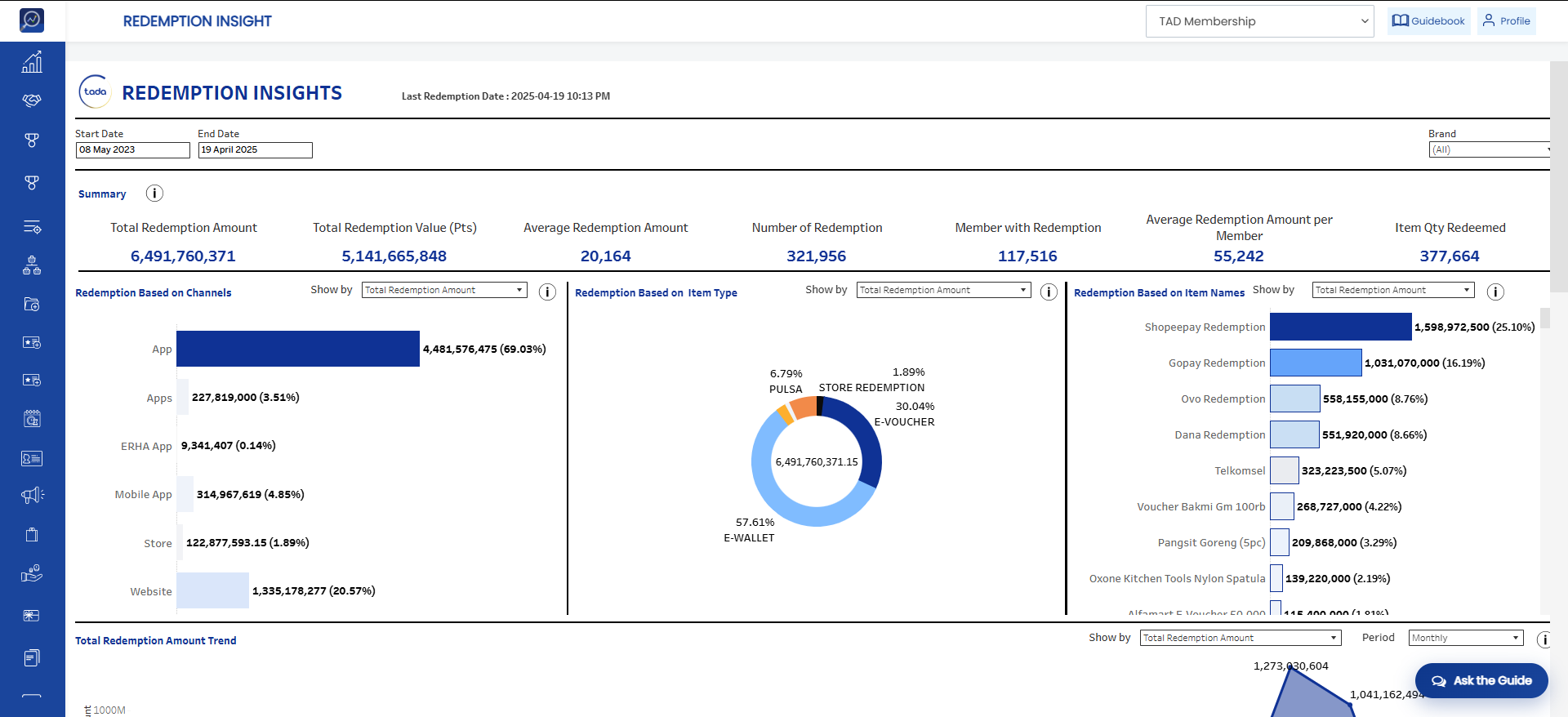
- Total Redemption Amount: Total redemption value in currency that has been redeemed by all members.
- Total Redemption Value (pts): Total redemption value in points that has been redeemed by all members.
- Average Redemption Amount: Total redemption amount divided by the total number of redemption transactions.
- Number of Redemption: Total number of redemption transactions based on the selected date filter.
- Members with Redemption: Total number of members who have redeemed at least once within the selected date filter.
- Average Redemption Amount per Member: Total redemption amount divided by the number of members with redemption.
- Item Qty Redeemed: Total quantity of items redeemed by members based on the selected date filter.
- Redemption Based on Channels: Comparison of redemption counts based on the transaction channel used.
- Redemption Based on Categories: Percentage contribution of each redeemed item category to the total redemptions based on the selected redemption parameter.
- Redemption Based on Item Names: Comparison of the selected redemption parameter based on item names available in the redemption catalog.
- Redemption Item Qty Trend: Displays the trend of the selected redemption parameter based on the selected date range.